How to Pass ATS: Resume Formatting Rules That Actually Work (2026)
Format Matters More Than Content
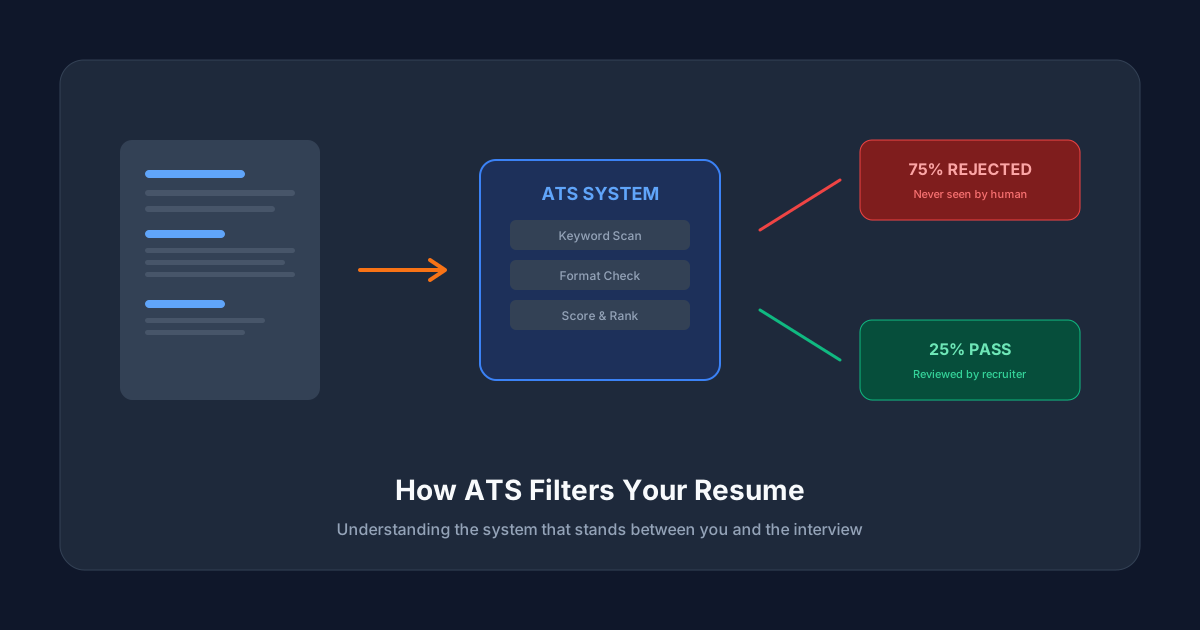
You could have the perfect work experience, the ideal skill set, and a resume that reads like a best-selling novel. But if the ATS can't parse it, none of that matters.
Resume formatting isn't about making your resume look pretty — it's about making it machine-readable. And the rules for machines are very different from the rules for humans.
The Golden Rules of ATS Formatting
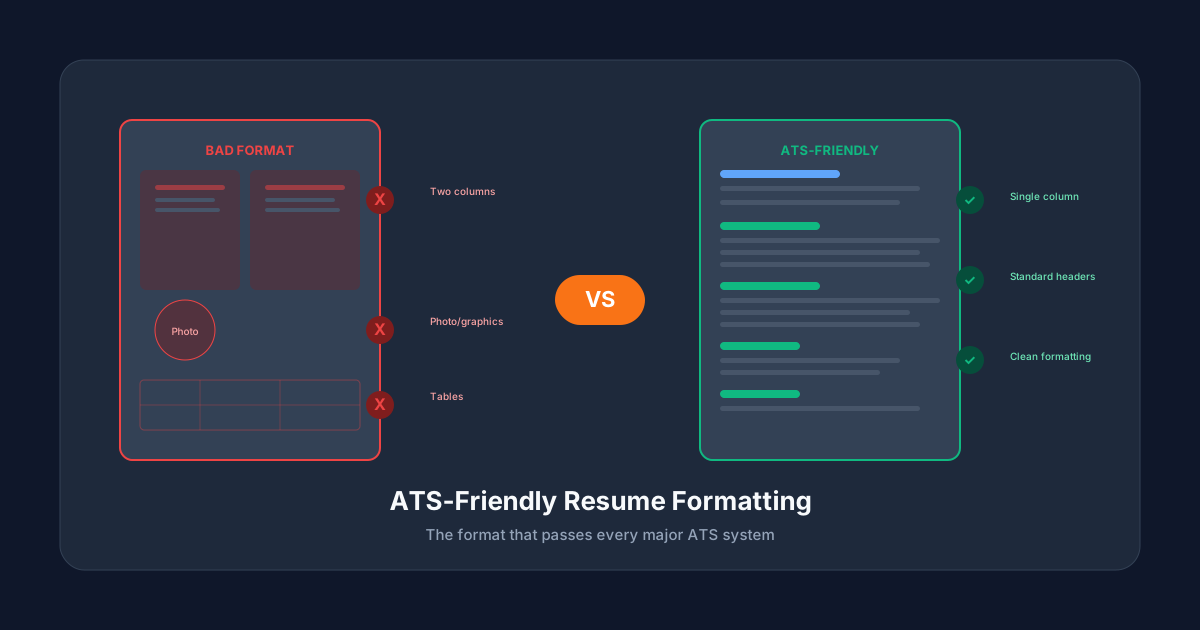
Rule 1: Use a Single-Column Layout
This is the most important rule. Multi-column layouts confuse ATS parsers. They may read across columns instead of down them, mixing up your work experience with your skills section.
Do: One column, top to bottom
Don't: Two or three column layouts, sidebar designs
Rule 2: Choose the Right File Format
For most applications in 2026:
- PDF — works with most modern ATS systems
- DOCX — safest for older systems (Taleo, some Workday versions)
- Check the posting — if it specifies a format, use that format
Avoid: .pages, .odt, image files, or "creative" portfolio PDFs with embedded graphics.
Rule 3: Use Standard Fonts
Stick with widely-supported fonts:
- Sans-serif: Arial, Calibri, Helvetica, Verdana
- Serif: Georgia, Times New Roman, Garamond
- Size: 10-12pt for body text, 14-16pt for section headers
Avoid: decorative fonts, custom fonts, or fonts below 10pt.
Rule 4: Use Standard Section Headers
ATS systems are trained to recognize specific header names:
| Use This | Not This |
|---|---|
| Work Experience | My Career Journey |
| Education | Academic Background |
| Skills | My Toolkit |
| Professional Summary | About Me |
| Certifications | Achievements & Awards |
| Contact Information | Get In Touch |
Rule 5: Keep Formatting Simple
Safe to use:
- Bold text for emphasis
- Bullet points (standard round bullets)
- Horizontal lines as section dividers
- ALL CAPS for section headers (optional)
Avoid:
- Tables (even invisible ones)
- Text boxes
- Images, logos, or graphics
- Icons (envelope icon for email, phone icon for phone)
- Headers and footers for critical information
- Columns created with tabs or spaces
Rule 6: Use Consistent Date Formats
Pick one format and stick with it throughout:
- "Jan 2022 - Present" (recommended)
- "01/2022 - Present"
- "2022 - Present"
Don't mix "January 2022" with "2023" with "03/2024" in the same resume.
The Ideal ATS Resume Structure
Here's the exact order that works best:
1. Contact Information (top)
- Full name
- Phone number
- Professional email
- City, State (full address not needed)
- LinkedIn URL (optional)
2. Professional Summary (3-4 lines)
A brief paragraph summarizing your experience, key skills, and what you bring to the role. Include 2-3 keywords from the job description here.
3. Skills Section
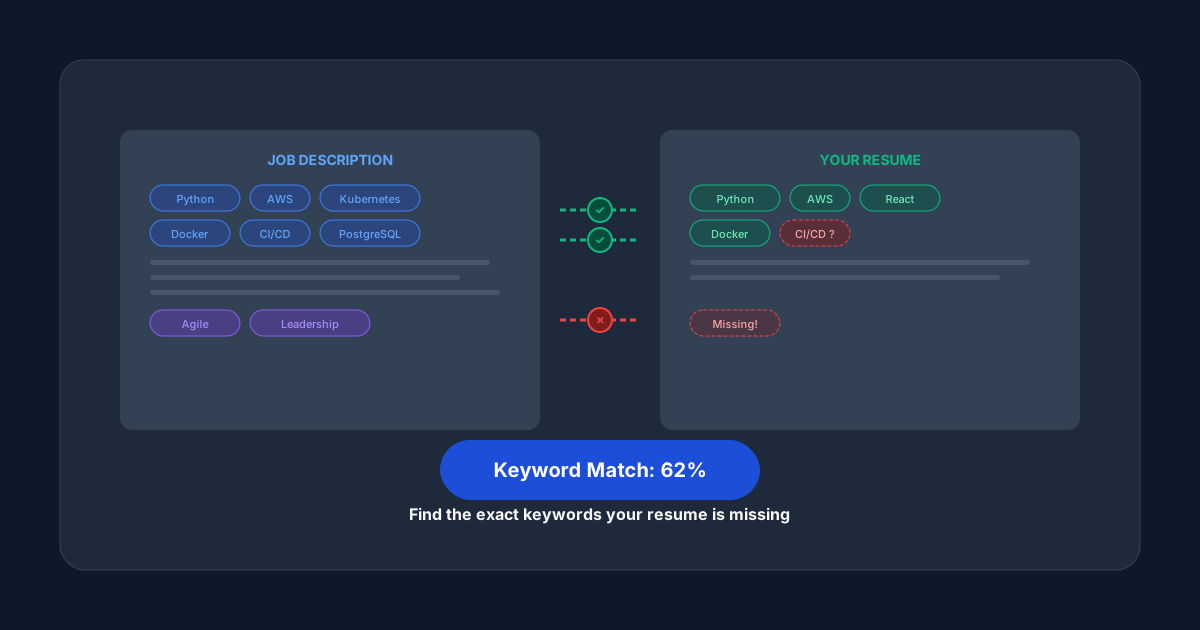
A bullet-point list of your key technical and professional skills. This is where the ATS does heavy keyword matching.
4. Work Experience (reverse chronological)
For each role:
- Job Title | Company Name
- Date Range | Location
- 3-5 bullet points starting with action verbs
- Include metrics and numbers wherever possible
5. Education
- Degree | Institution
- Graduation date
- Relevant coursework or honors (if recent graduate)
6. Certifications (if applicable)
- Certification name | Issuing organization | Year
Common ATS Formatting Mistakes
Mistake 1: Using a Template from Canva
Most Canva resume templates use multi-column layouts, text boxes, and graphics that break ATS parsing. They look great to humans but are invisible to machines.
Mistake 2: Putting Your Name in a Header
Many ATS systems skip document headers and footers. If your name and contact info are in the header, the ATS might not capture them at all.
Mistake 3: Using Abbreviations Without the Full Term
Write "Search Engine Optimization (SEO)" the first time, then use "SEO" afterward. This covers both the full term and the abbreviation in ATS matching.
Mistake 4: Overdesigning for "ATS-Friendly" Templates
Some paid resume templates claim to be "ATS-optimized" but still use problematic elements. The simplest format is always the safest.
Test Before You Submit
Don't submit a resume blindly and hope it passes. Test it first.
ATSCrush scans your resume against the specific job description you're applying for. You get:
- An instant ATS compatibility score
- A list of matched and missing keywords
- Formatting analysis
- Section-by-section breakdown
And if your score is low, our AI automatically rewrites your resume to achieve 95%+ ATS pass rate — in under 2 minutes, for just $4.99.